Windows' own clipboard-change counter, the same low-level mechanism Windows uses internally, provides an efficient hook for a history tool to watch, and building specifically around that mechanism rather than a generic polling approach makes a real difference in how lightweight the resulting tool feels.
Gwen is a Windows clipboard history tool built around exactly that mechanism. A background thread checks Windows' clipboard-change counter a few times a second, reading and capturing content, text, images, files, and hex colors, only when the counter actually moves.
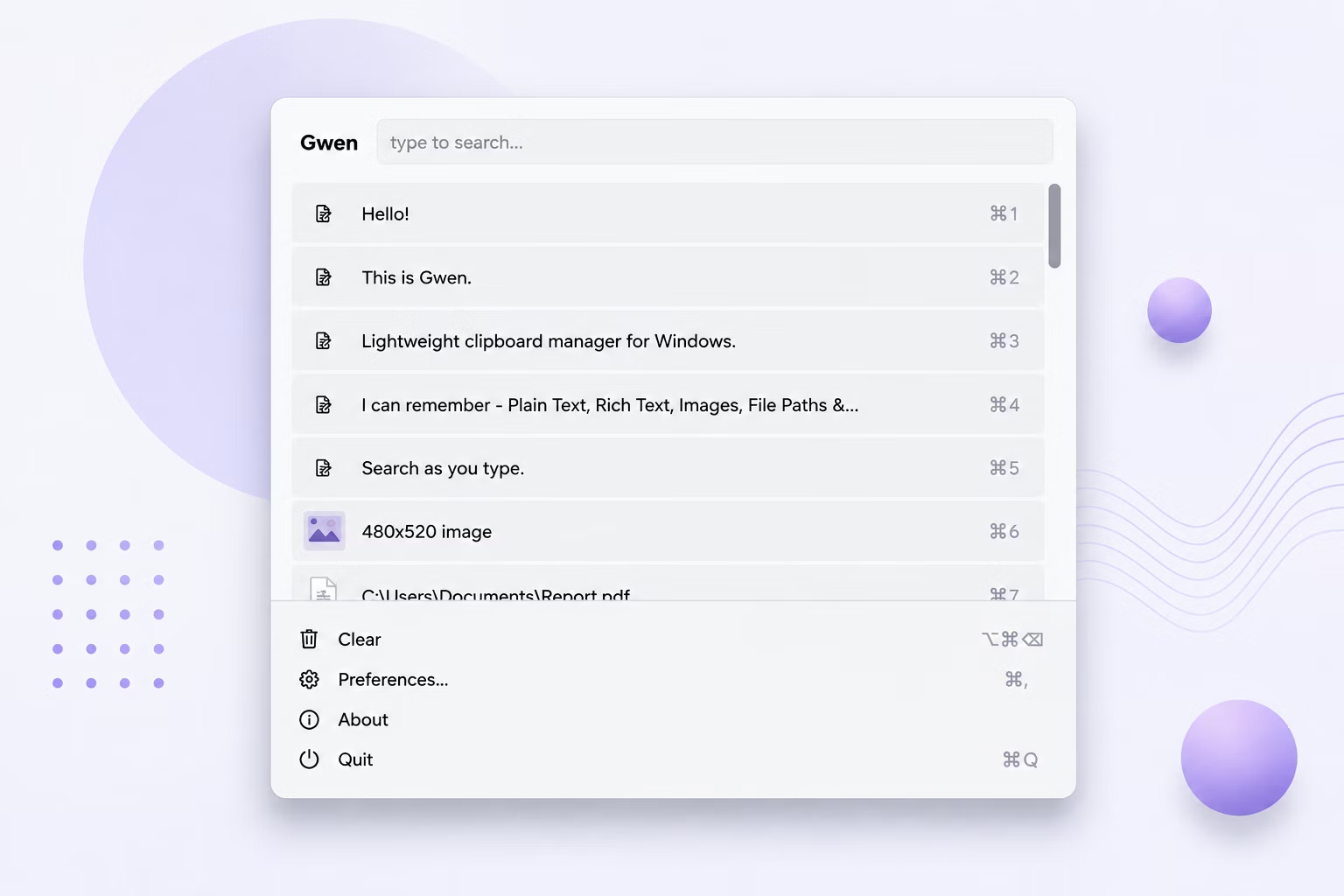
Accessing previous copies works through a global hotkey, Ctrl+Shift+V by default, which opens a popup right by your cursor showing recent copies newest-first. Pick the one you need with a click, Enter, or a number key, and it pastes automatically into your previous window.
Being built specifically for Windows also means integrating naturally with how the system works: a distinct taskbar and title bar icon, an entry in the Windows Run registry key for autostart, and a named Windows mutex that prevents duplicate instances from running.
A native "already running" message appears if you try to launch a second instance, rather than silently spinning up a duplicate tray icon, a small detail that reflects the tool's attention to fitting naturally into the Windows environment.
Everything runs entirely offline. Your Windows clipboard history stays on your own PC, with the tool's only network call being a one-time license check. Developers copying snippets, commands, and error messages; writers and editors juggling quotes and references; designers pulling hex colors and image assets; support and admin staff pasting the same canned responses and details repeatedly; researchers collecting excerpts from many sources; and anyone on Windows who copies and pastes enough that losing a clip is a daily annoyance all find the same underlying capability useful. Under the hood, a background thread checks Windows' clipboard-change counter a few times a second, and only reads what changed when that counter actually moves, which is what keeps the whole thing feeling instant rather than sluggish, however long it's been quietly running in your system tray.
- Install Gwen on your Windows PC.
- Let it run in the system tray, watching the clipboard efficiently.
- Copy text, images, files, or colors as usual.
- Press Ctrl+Shift+V to access your history.
- Browse or search for the previous copy you need.
- Select it to paste automatically.
- Enable autostart if you want it always running.
- Trust the single-instance check to avoid duplicate tray icons.
- Check the About section for version info and updates.
- Use Change License if you ever need to re-activate.
- Built specifically around Windows' clipboard-change counter
- Near-zero idle CPU thanks to efficient, targeted polling
- Distinct taskbar and title bar icon
- Optional autostart via the Windows Run registry key
- Named mutex prevents duplicate running instances
- Global hotkey works from any Windows application
- Runs fully offline, storing history only locally
- One-time purchase for Windows, with Gumroad license activation
- Delete individual entries anytime to keep your history relevant
- Consistent behavior across every Windows application, system-wide
How is this different from a generic, cross-platform clipboard tool?
It's built specifically around Windows' own clipboard-change counter, an efficient, Windows-native mechanism rather than generic polling, which keeps idle CPU use near zero.
What happens if I accidentally launch a second instance?
A named Windows mutex check ensures only one copy runs at a time, and a second launch attempt gets a native "already running" message.
Does this tool have a distinct icon I can recognize?
Yes, it uses a distinct taskbar and title bar icon, making it easy to identify among other running applications.
Can I have it start automatically with Windows?
Yes, toggle Start with Windows in preferences, and it writes a standard entry to the Windows Run registry key.
Does this work on both Windows 10 and Windows 11?
Yes, Gwen is built and tested for both Windows 10 and Windows 11.
Is my clipboard data safe when using this app?
Yes, everything is stored locally on your own PC; nothing is uploaded or synced, so your copied content stays fully private.
Can I change the default hotkey if Ctrl+Shift+V conflicts with something else?
Yes, the global hotkey is configurable in preferences and takes effect immediately once changed.
Does the app work the same across every Windows application?
Yes, the global hotkey and paste-back mechanism operate at the system level, so behavior is consistent whether you're in a browser, an editor, a terminal, or any other Windows application.
Does the app show a preview for copied files, not just text and images?
Yes, file copies from Explorer are recorded as their path, or a "3 files" style summary for multiple selections.
Is there a trial version available before buying?
Check the product page on turbo-soft.com for current trial availability and details.
Can I use this alongside other clipboard-related tools?
Yes, since Gwen works passively through the standard Windows clipboard, it doesn't conflict with most other clipboard-aware applications running at the same time.
Will future updates change how my existing history is stored?
Check for Updates in the About section keeps you on the latest version, and your local history database persists across updates.
Ready to access your previous copies with a tool built for Windows, fully offline?