You cannot load more than 1 million rows in Excel directly into one worksheet, since the row limit sits fixed at 1,048,576. Trying to open a file that large either produces an error or an Excel file that only contains the first slice of the data.
Million by Million Rows Copier acts as a loading stage in front of Excel. It reads your file, up to 50,000,000 rows, into a local SQLite database, handling formats like CSV, XLSX, XLS and 20 or more others without needing Excel to open the raw file at all.
Once loaded, the data is available through Copy Next Chunk in 1,000,000-row pieces, each one small enough to load into its own Excel worksheet without error or delay.
Because loading happens on a background thread with a visible progress bar, you can watch a file with tens of millions of rows come in steadily, instead of Excel appearing to hang with no feedback at all.
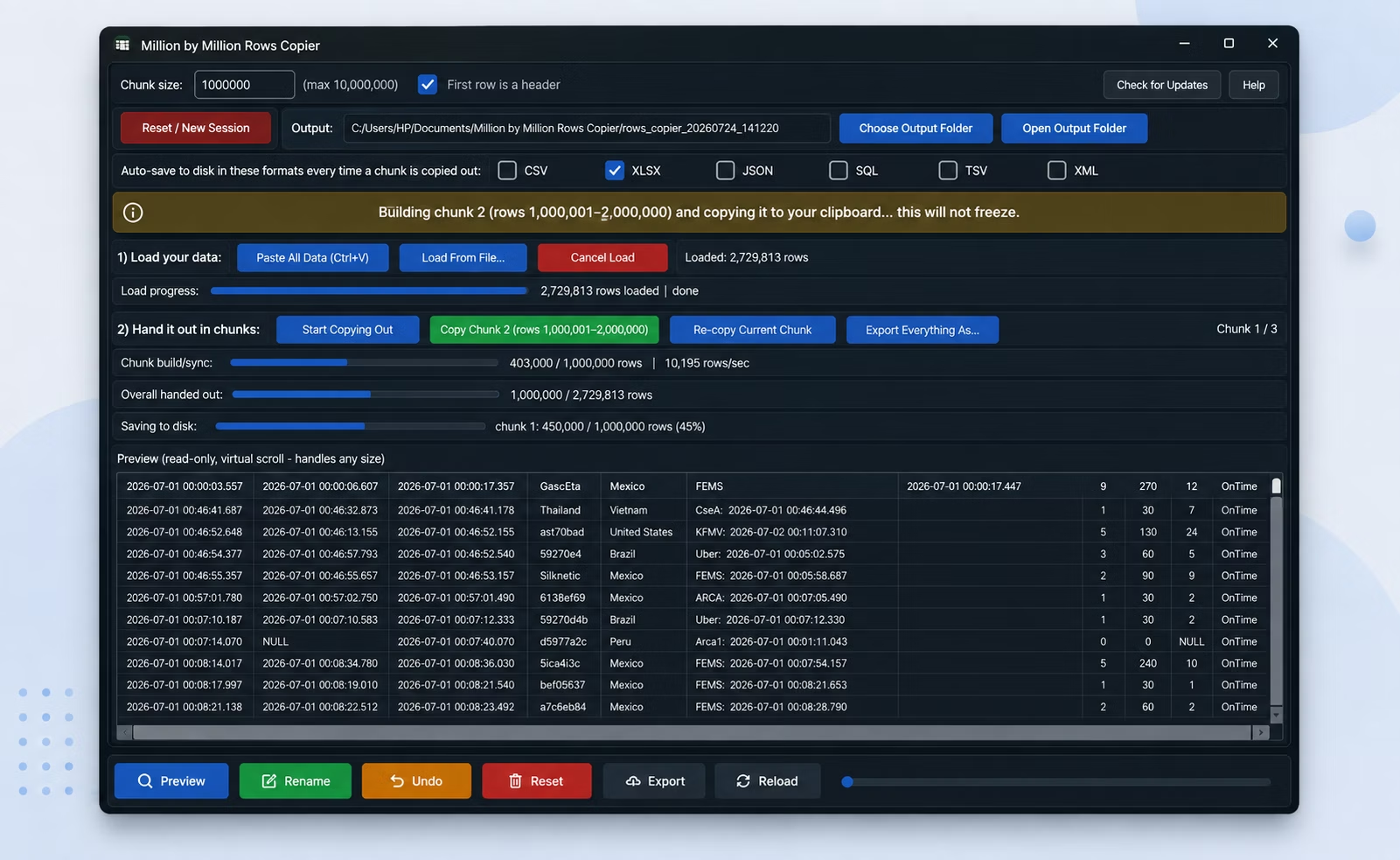
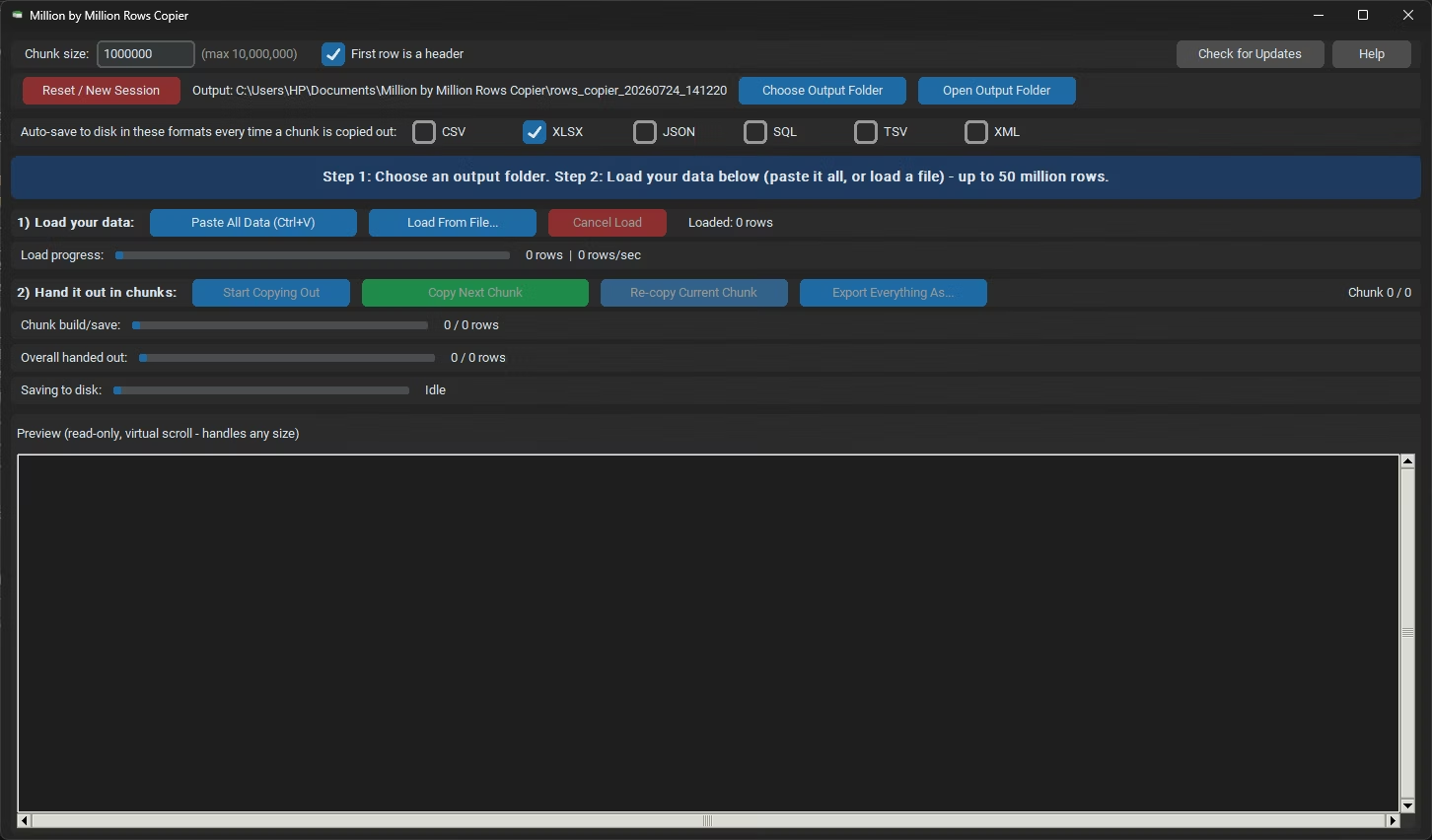
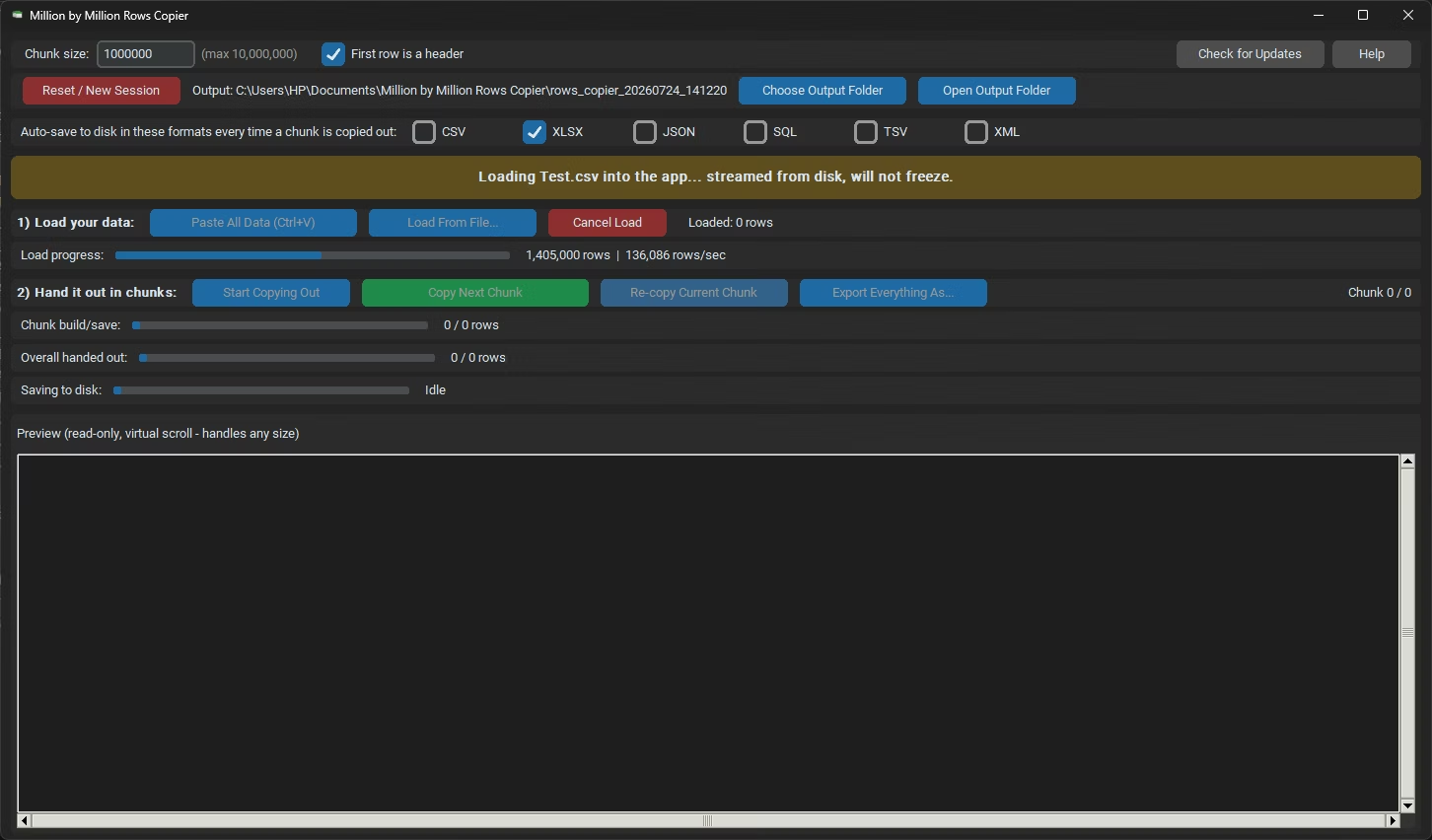
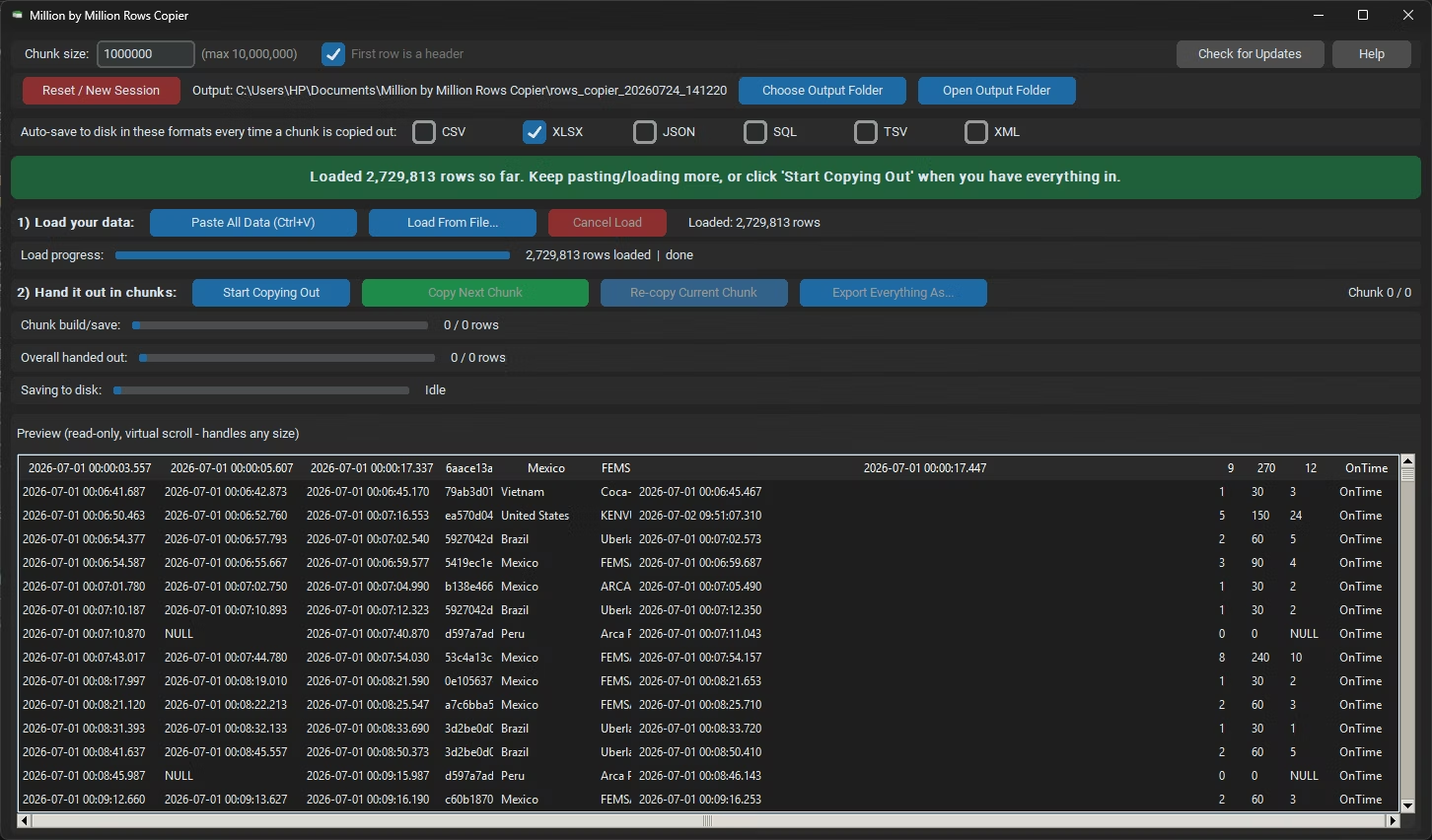
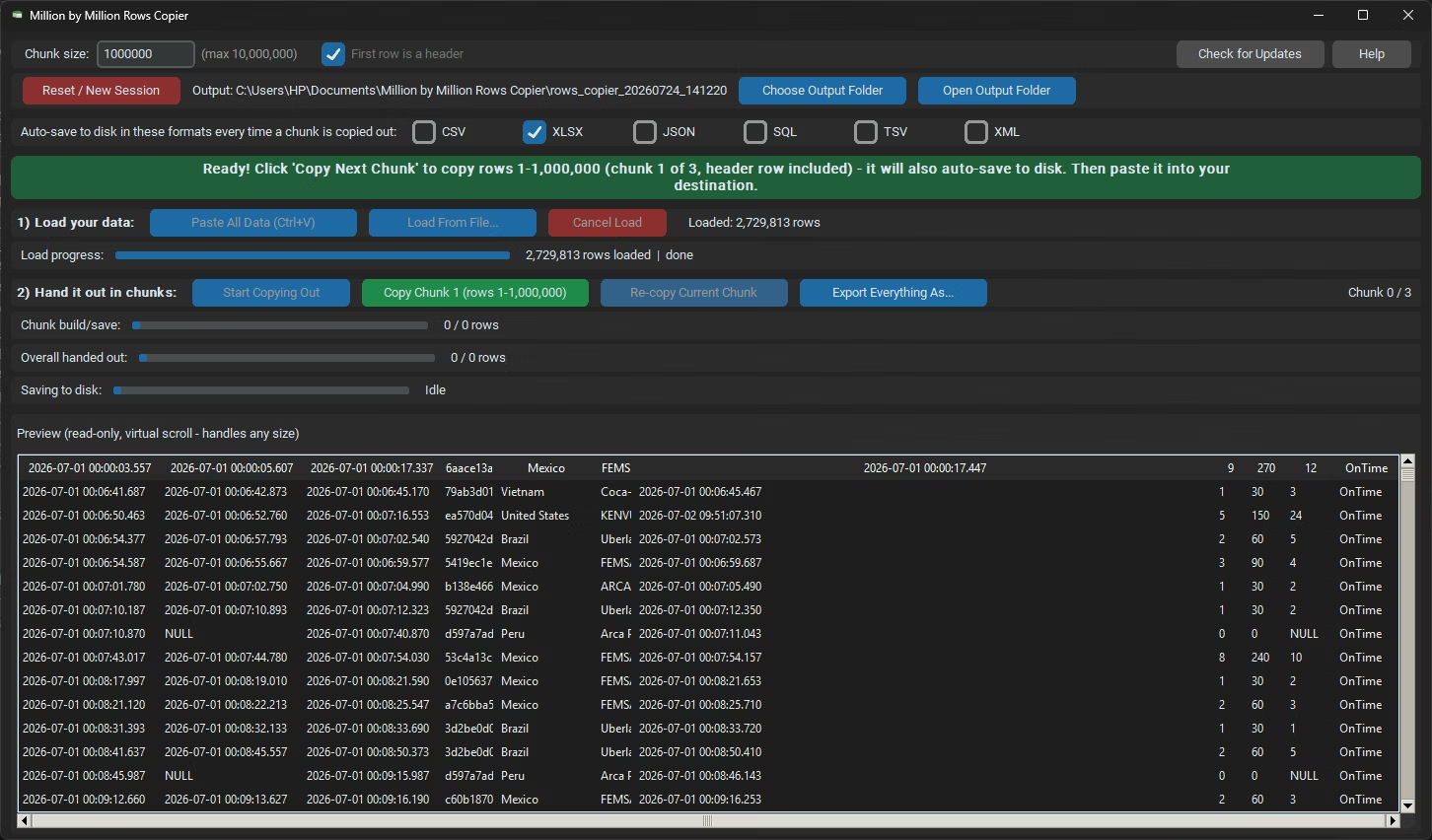
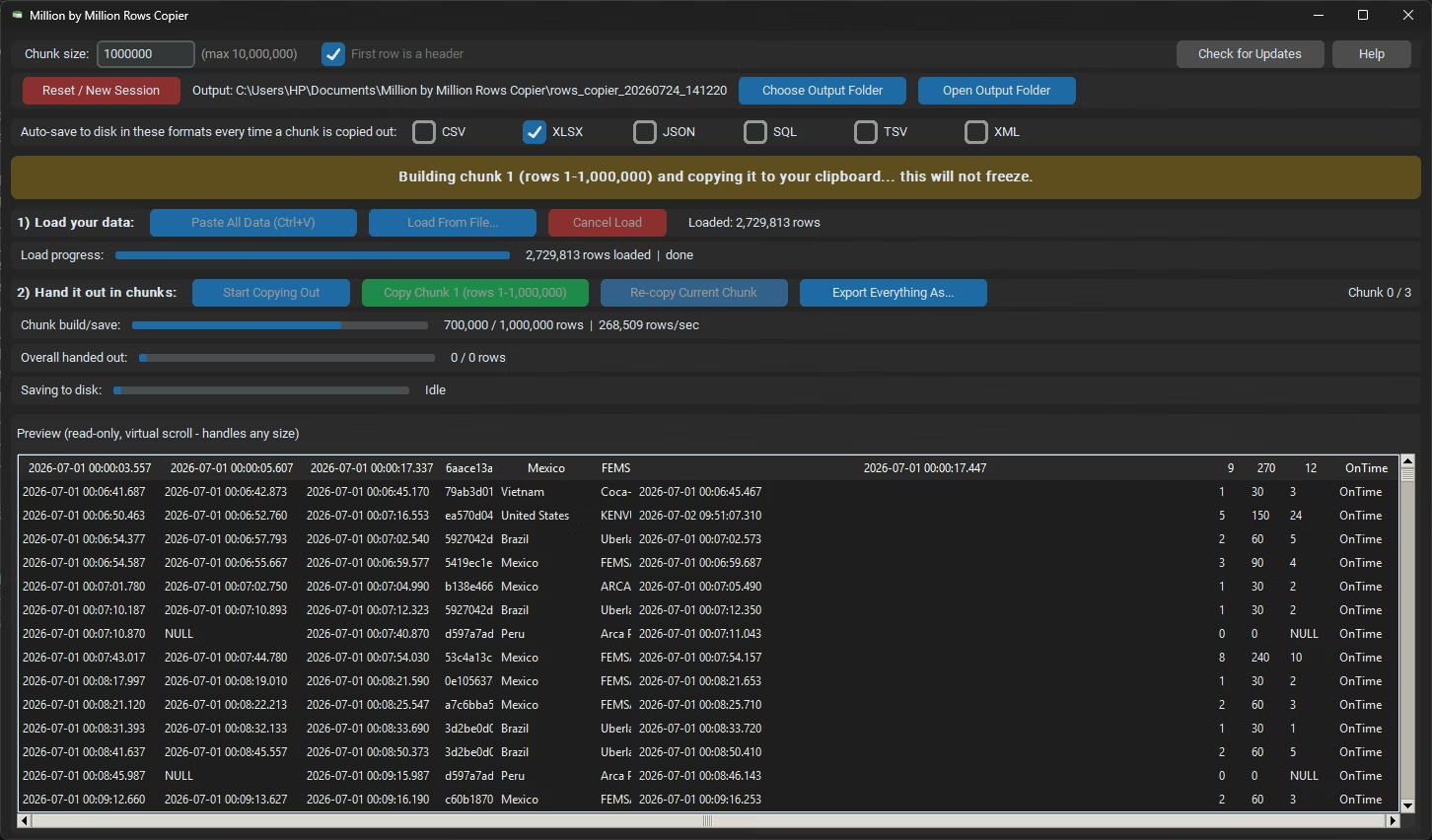
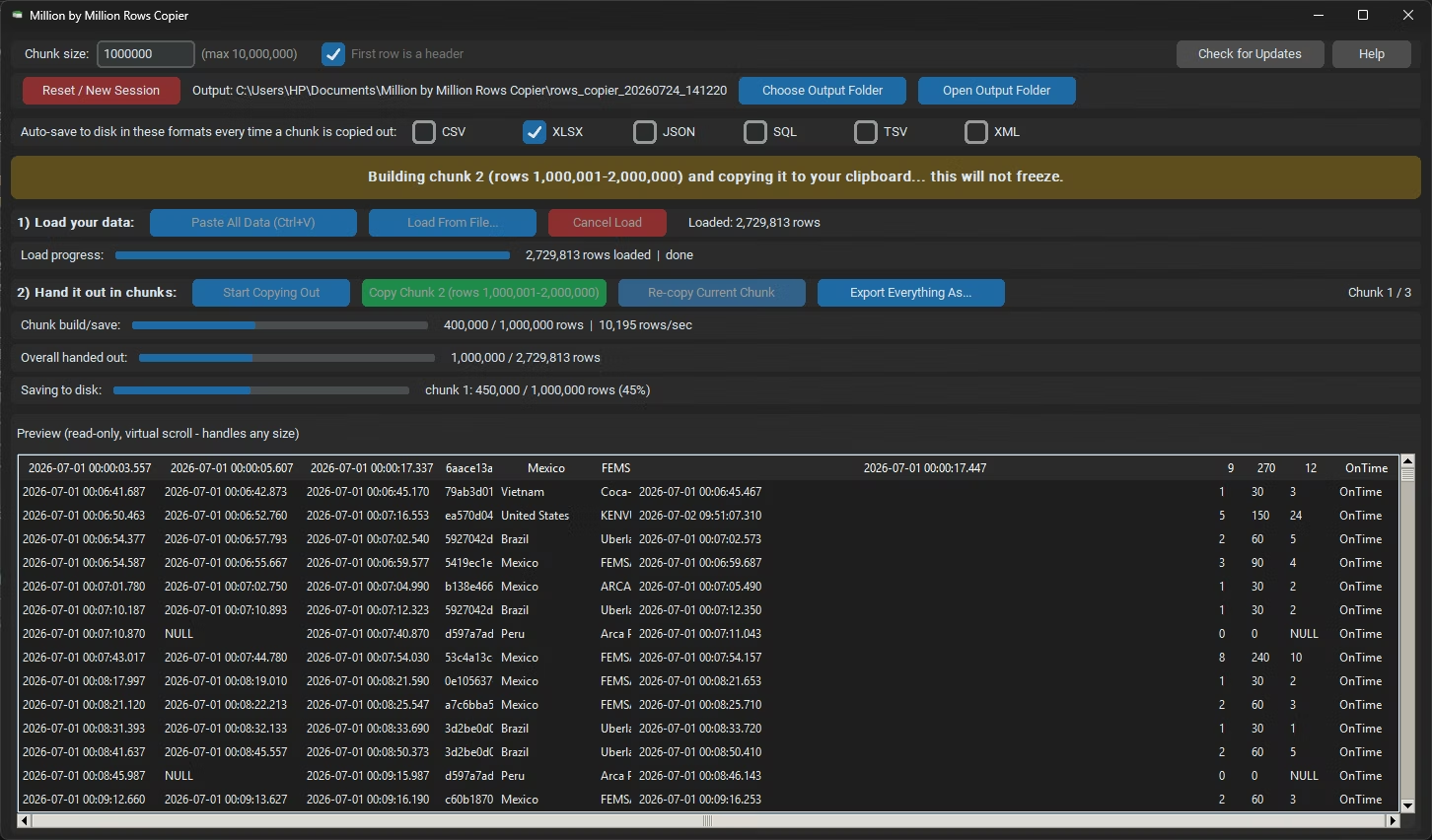
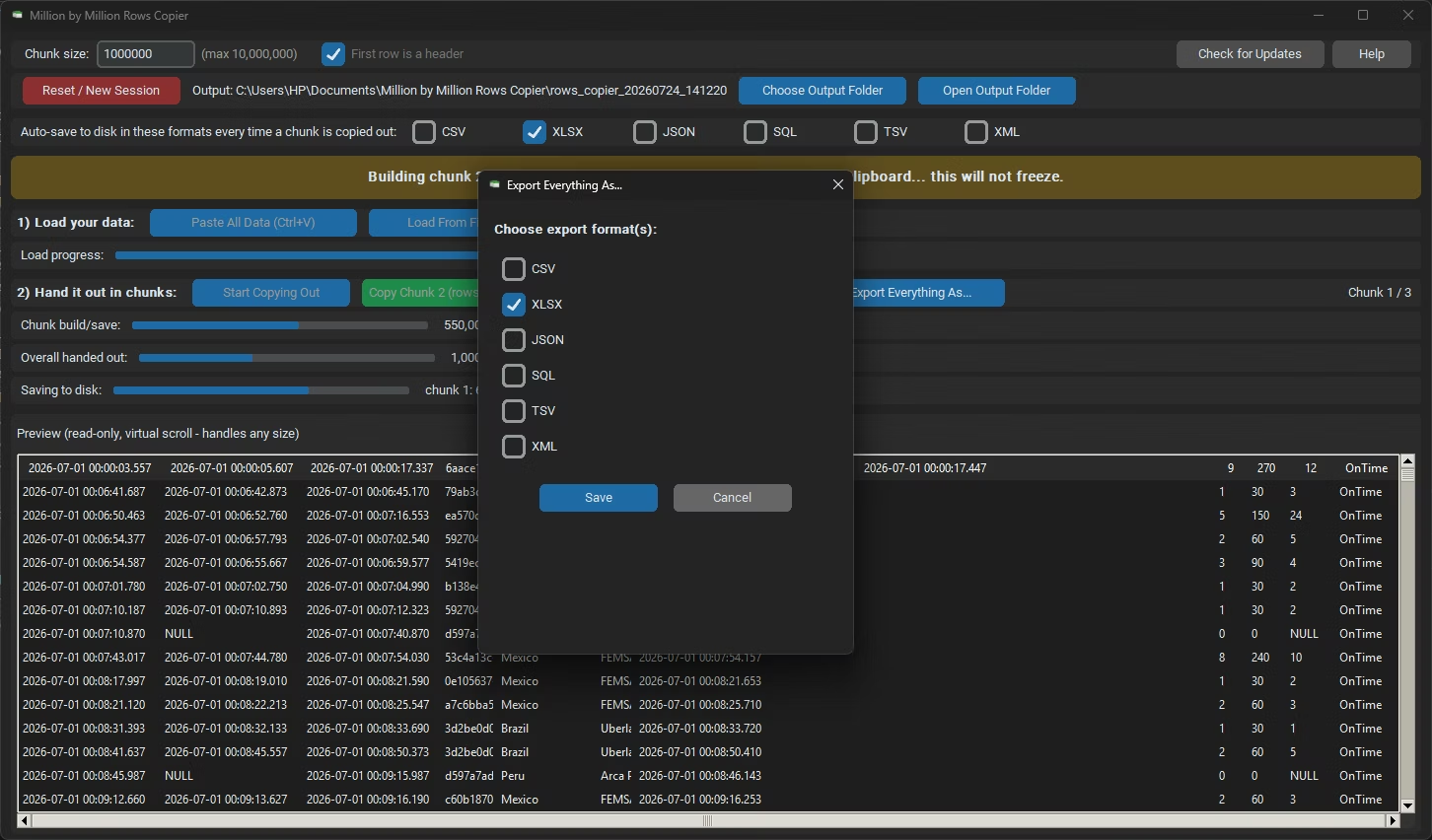
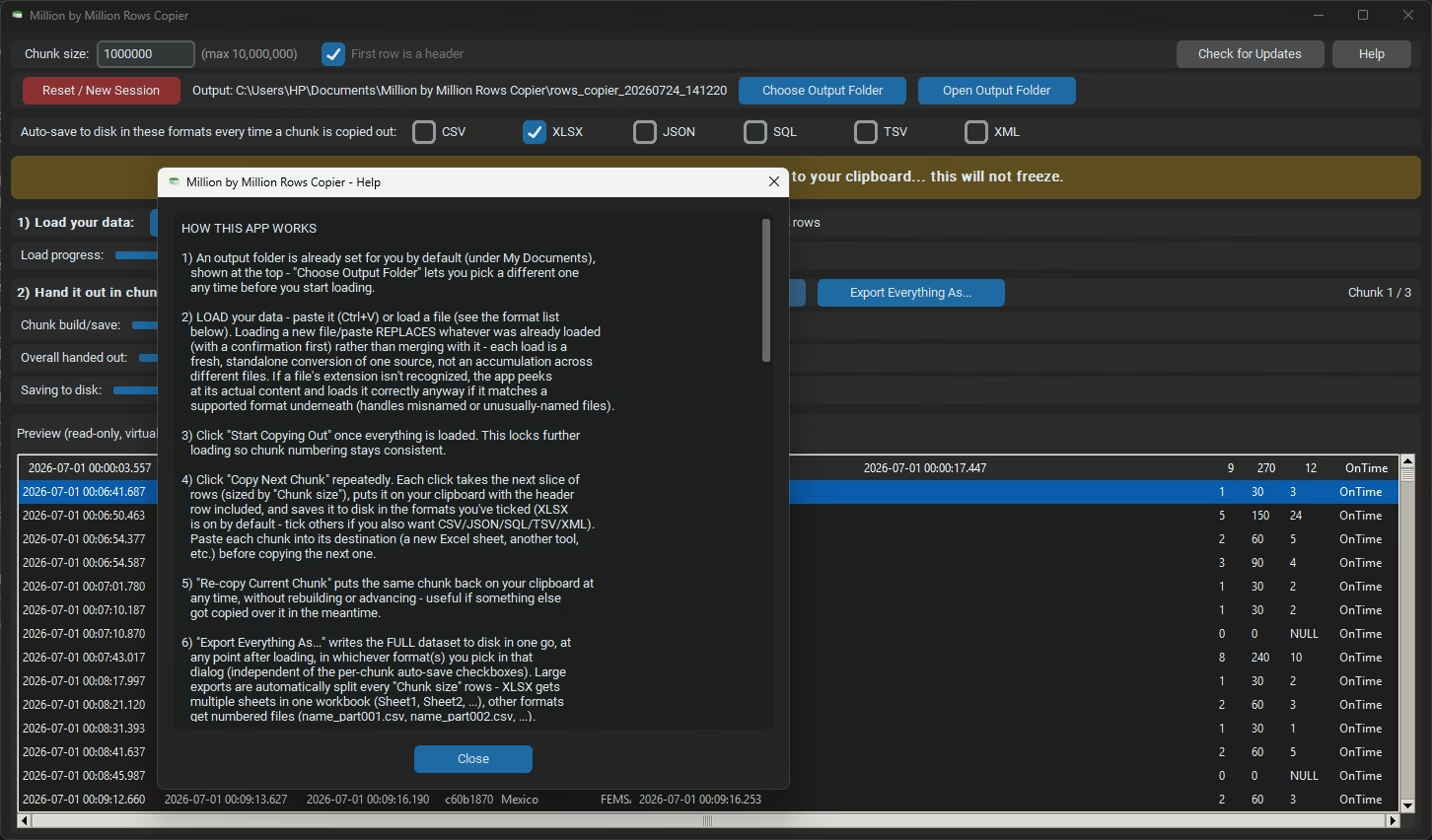
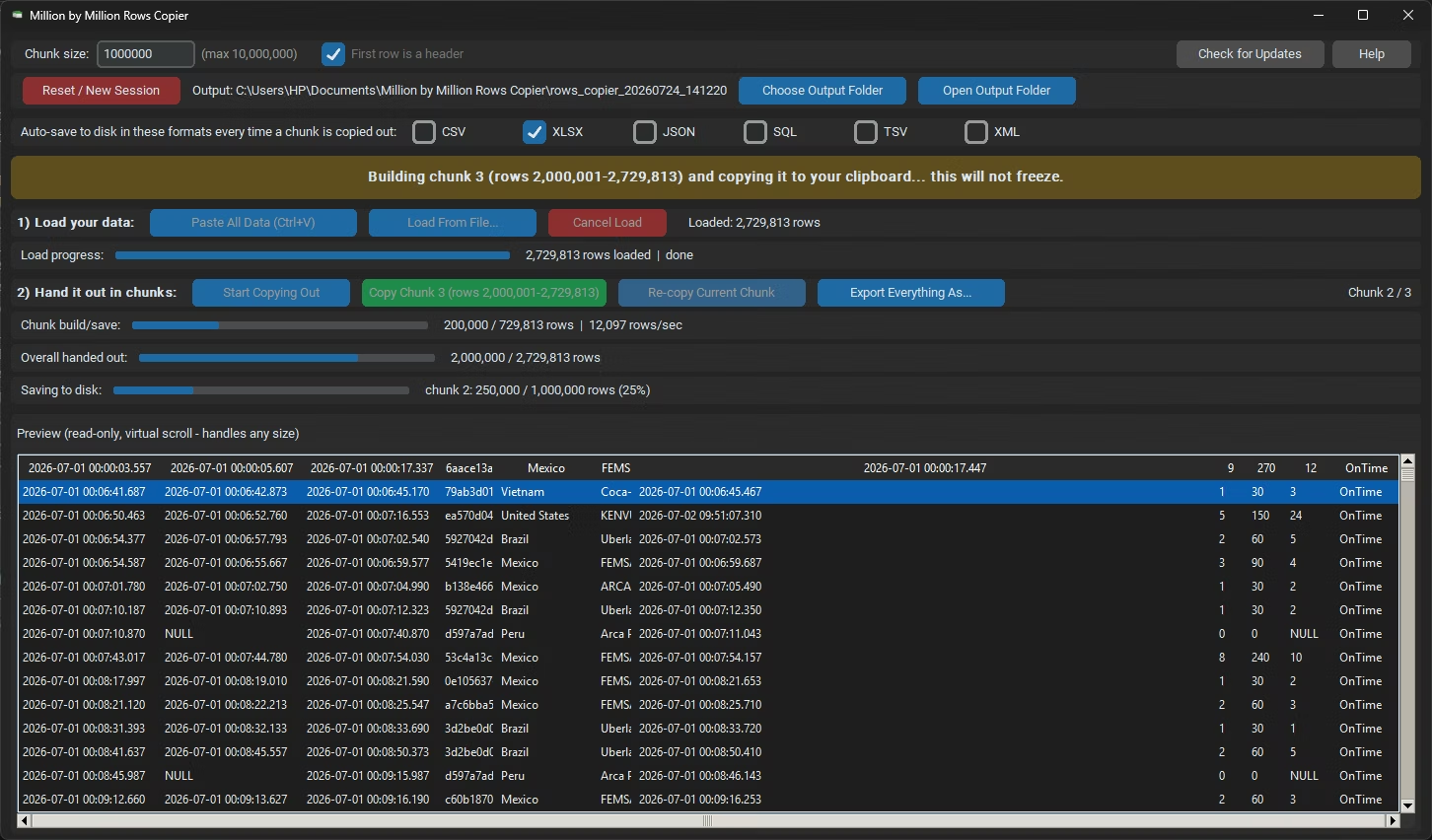
- Open Million by Million Rows Copier and load the file you need, rather than opening it in Excel directly.
- Watch the progress bar as the data loads into local storage.
- Confirm the total row count once loading finishes.
- Click Copy Next Chunk and load the first 1,000,000-row block into an Excel worksheet.
- Repeat for each following chunk until the entire file has been loaded across your workbook.
- Reads files up to 50,000,000 rows without opening them in Excel first
- Loads more than 25 formats directly, including CSV, XLSX and XLS
- 1,000,000-row chunks always load cleanly into a fresh worksheet
- Visible progress bar during load, so you always know where things stand
- Background threading keeps the interface responsive on very large files
- Cancel-safe loading lets you stop and pick up again without data corruption
Why can't I just open a large file directly in Excel?
If the file contains more than 1,048,576 rows, Excel cannot load it fully, and will either error out or truncate the data.
How do I load more than 1 million rows without truncation?
Load the file into Million by Million Rows Copier first, then bring the data into Excel in 1,000,000-row chunks using Copy Next Chunk.
Does the app support the file format I'm trying to load?
It supports more than 25 formats, including CSV, XLSX, XLS, JSON and SQL exports, so most large files load without conversion.
What if loading is interrupted partway through?
Loading is cancel-safe, so you can stop and restart without corrupting the data already imported.
Load more than 1 million rows into Excel the reliable way, one chunk at a time.