Downloading a CSV splitter is usually the last step before finally dealing with a file that's been sitting there too big to open, too big to email, or too awkward to work with in its current form. Turbo CSV Splitter is a Windows desktop application built specifically for that moment - a single install that gives you a complete toolset for splitting, merging, and inspecting CSV files without relying on any web-based service, browser extension, or spreadsheet workaround.
Instead of a single-purpose splitter, the download includes three connected tools in one app. The Split tab breaks one CSV file into several smaller ones using any of nine different methods - by row count, file size, column value, date, alphabet, duplicate status, unique rows, equal parts, or random shards. The Merge tab does the reverse, combining two or more CSV files - including previously split parts - back into a single file with the header written only once, optional source-file tagging, duplicate removal, and sorting. The Profile tab scans a CSV and reports per-column statistics like non-null and blank counts, distinct value counts, text length ranges, and numeric min/max/mean figures, along with flags for ragged rows that don't match the header's field count.
All three tools share the same underlying streaming engine, which reads and writes rows one at a time instead of loading the whole file into memory. That's what allows the app to handle CSV files from a few kilobytes up to 100 GB or more, limited only by the free disk space available for the output, rather than by how much RAM your computer has.
The download is a single installer rather than a collection of separate scripts or plugins to assemble yourself. Once installed, the app behaves like any other Windows desktop program - it opens instantly, keeps its settings between sessions, and doesn't require a terminal, a package manager, or any programming knowledge to operate. That matters for the people who most often need a CSV splitter: analysts, bookkeepers, support staff, and small business owners who need a reliable way to break up a file today, not a scripting project to maintain going forward.
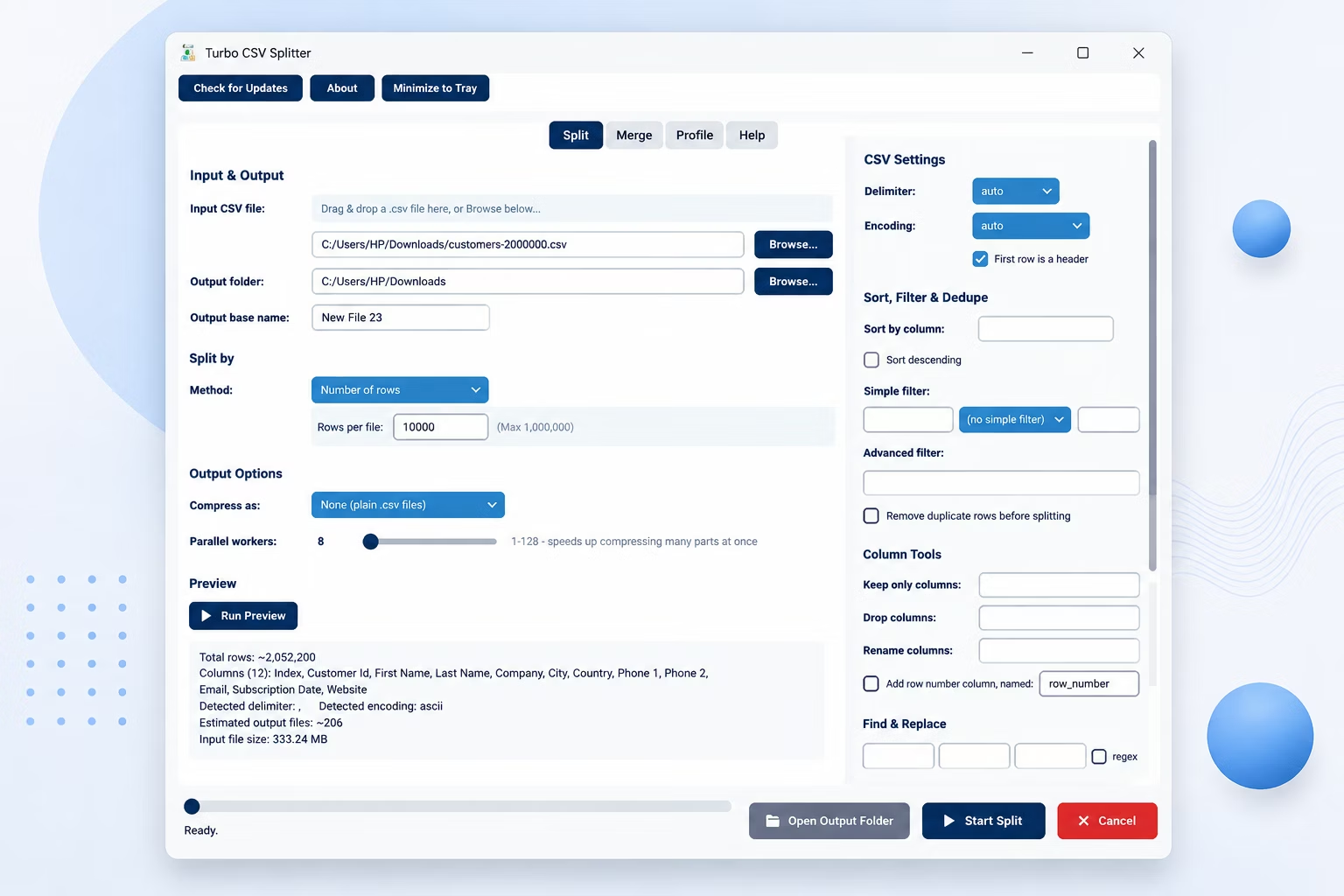
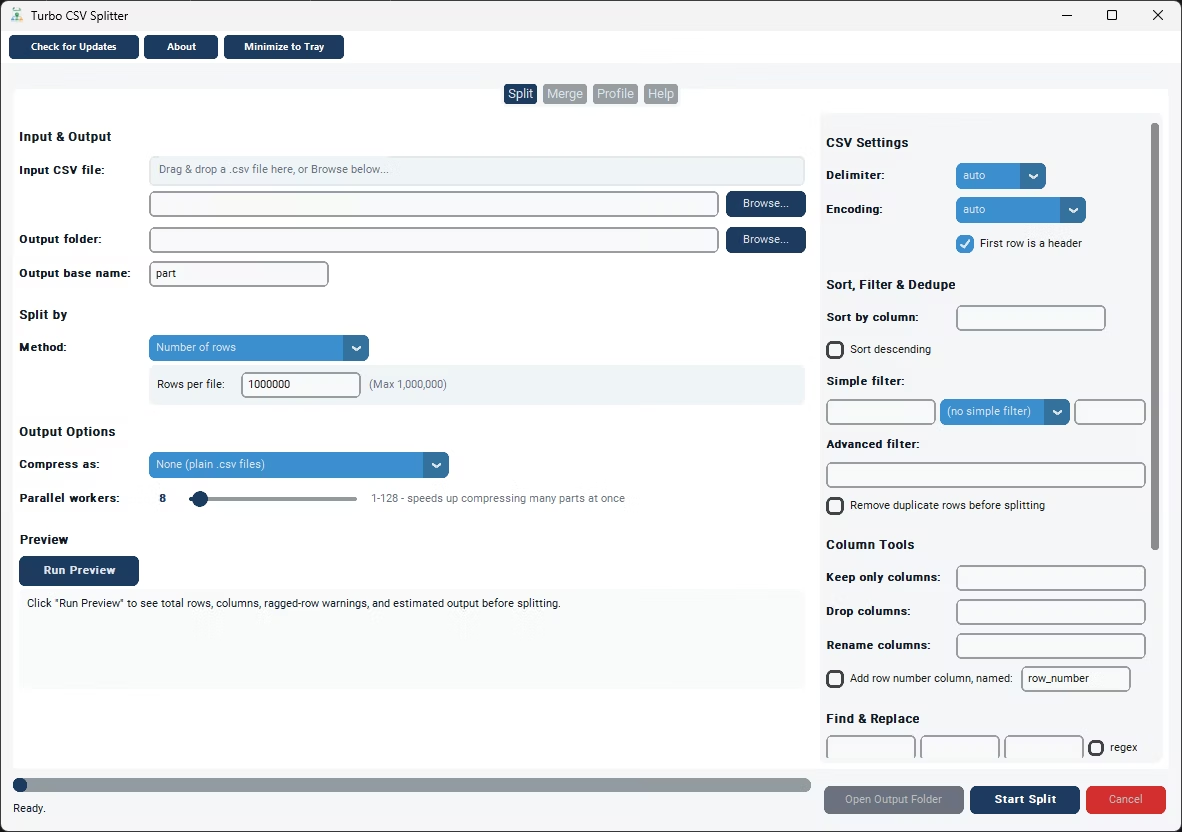
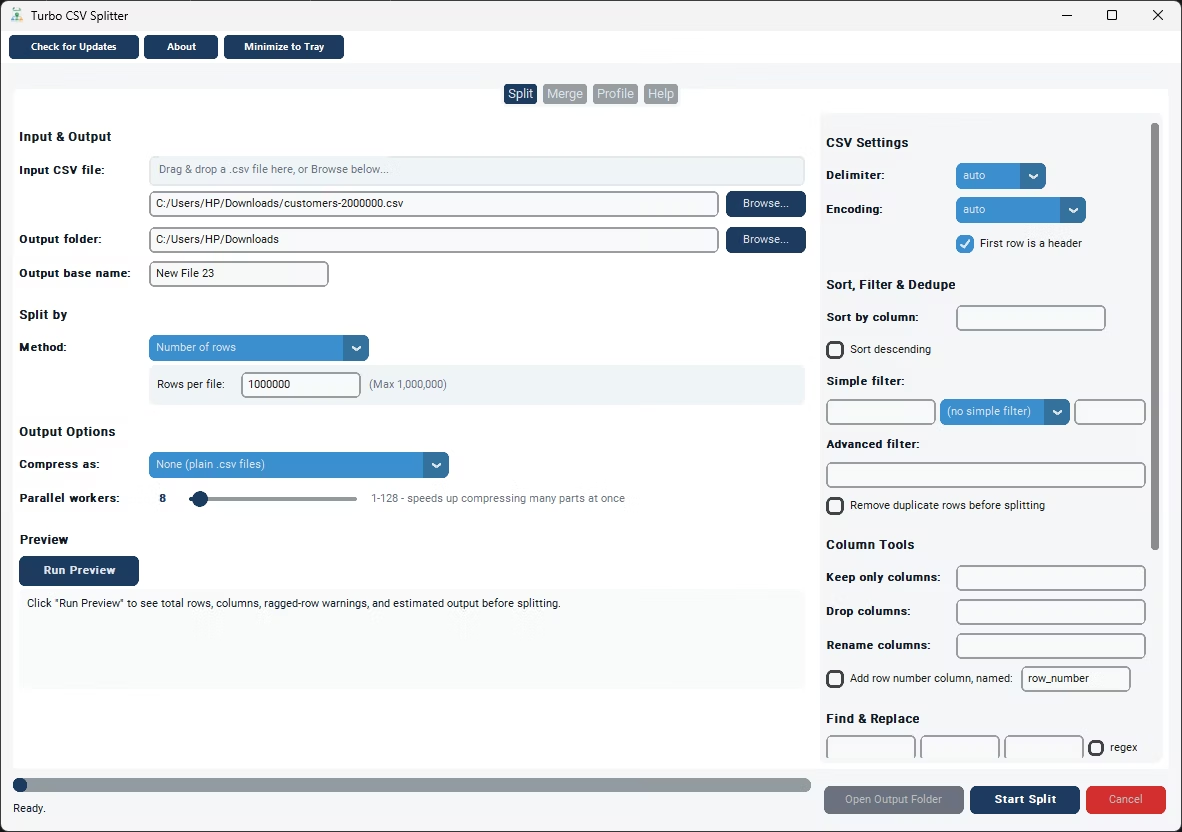
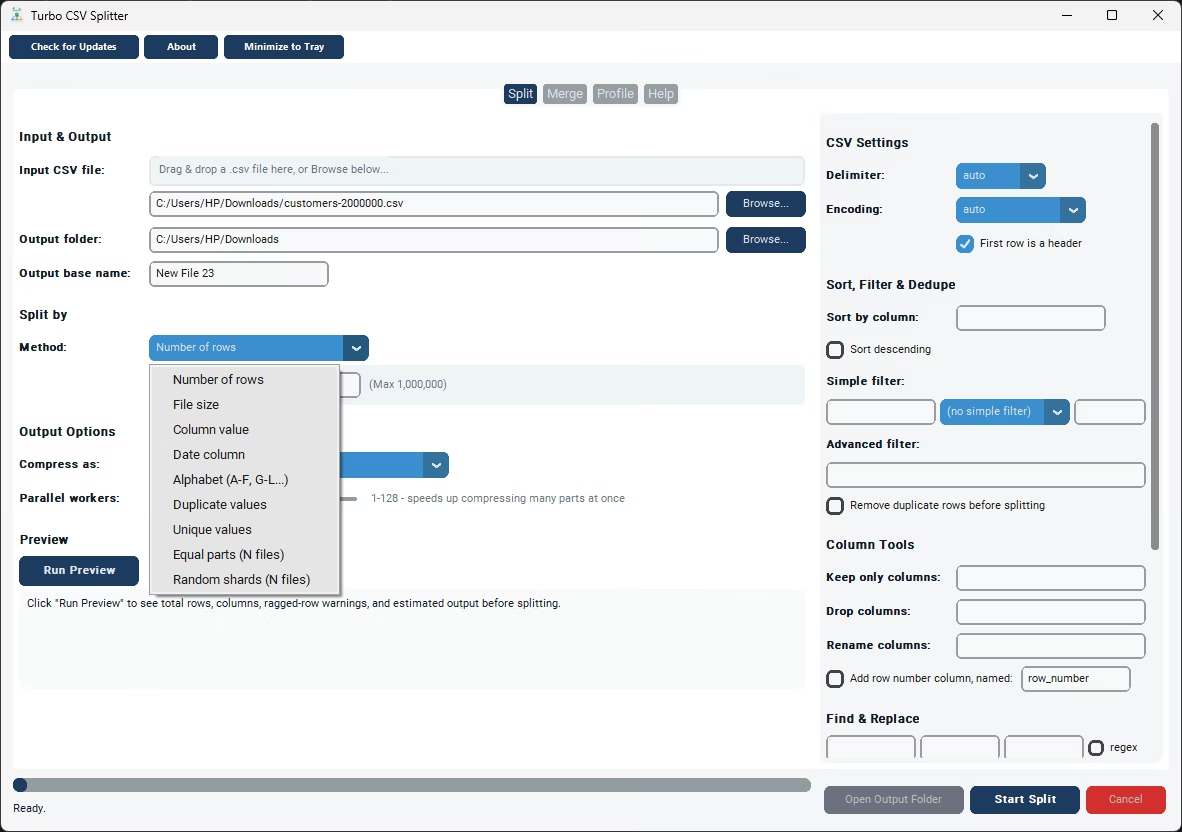
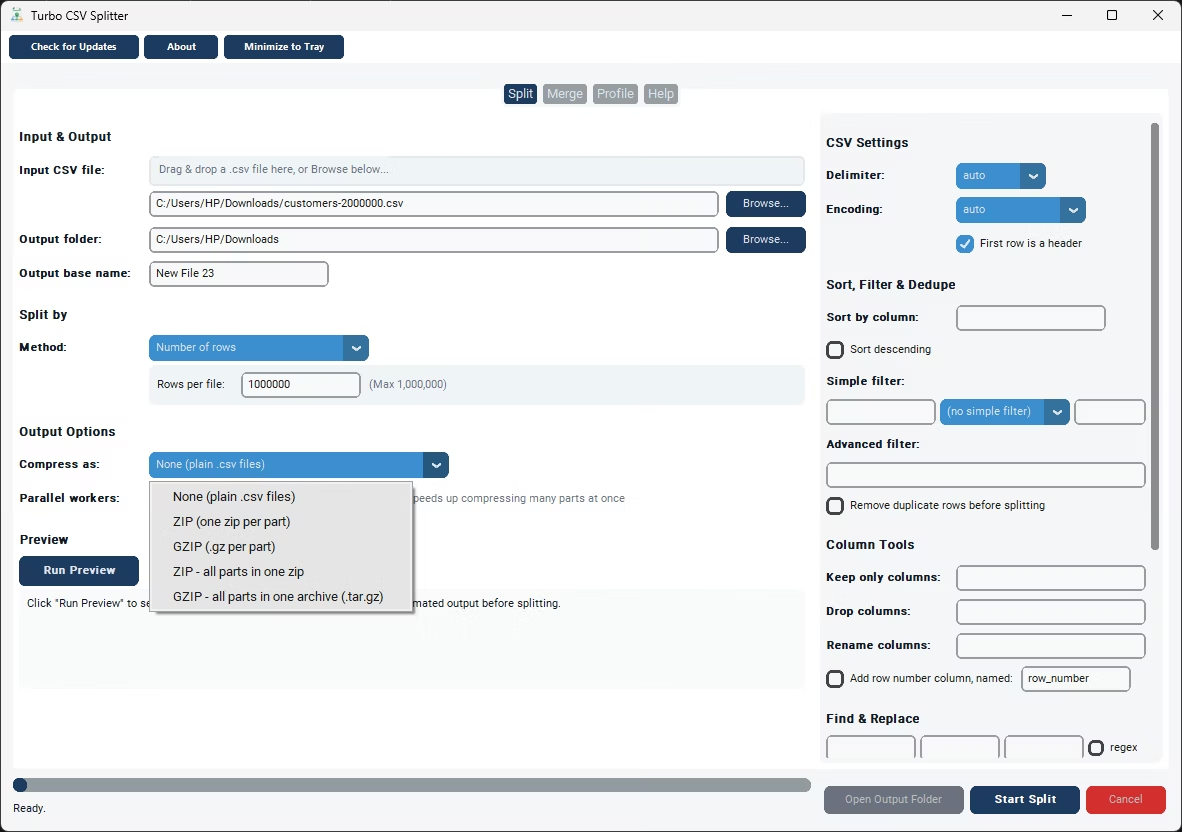
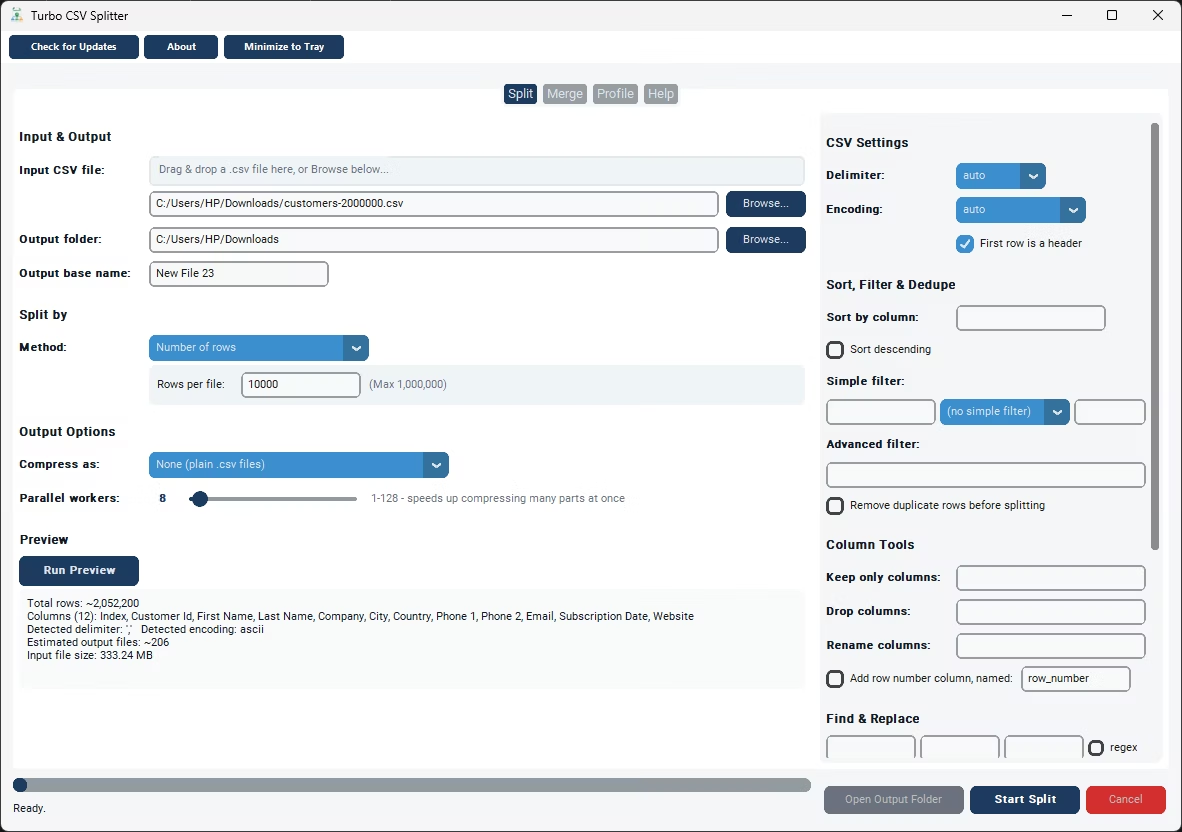
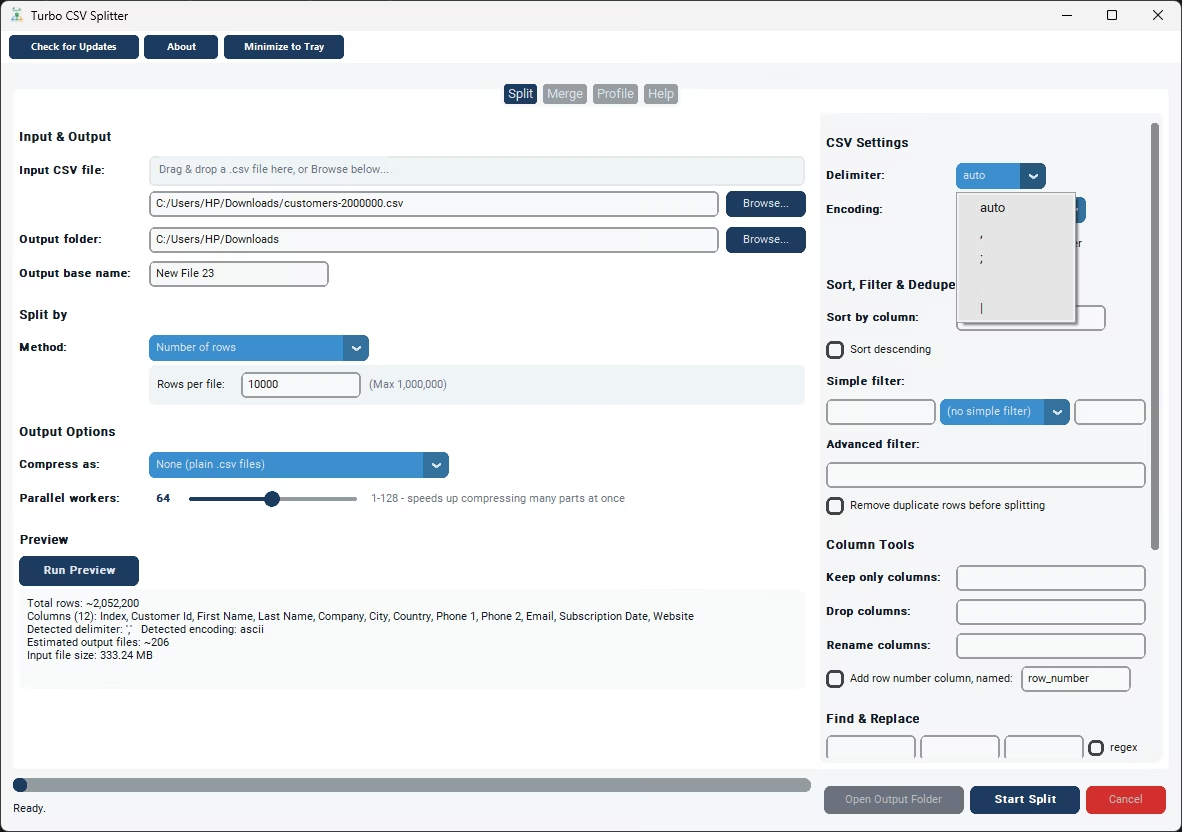
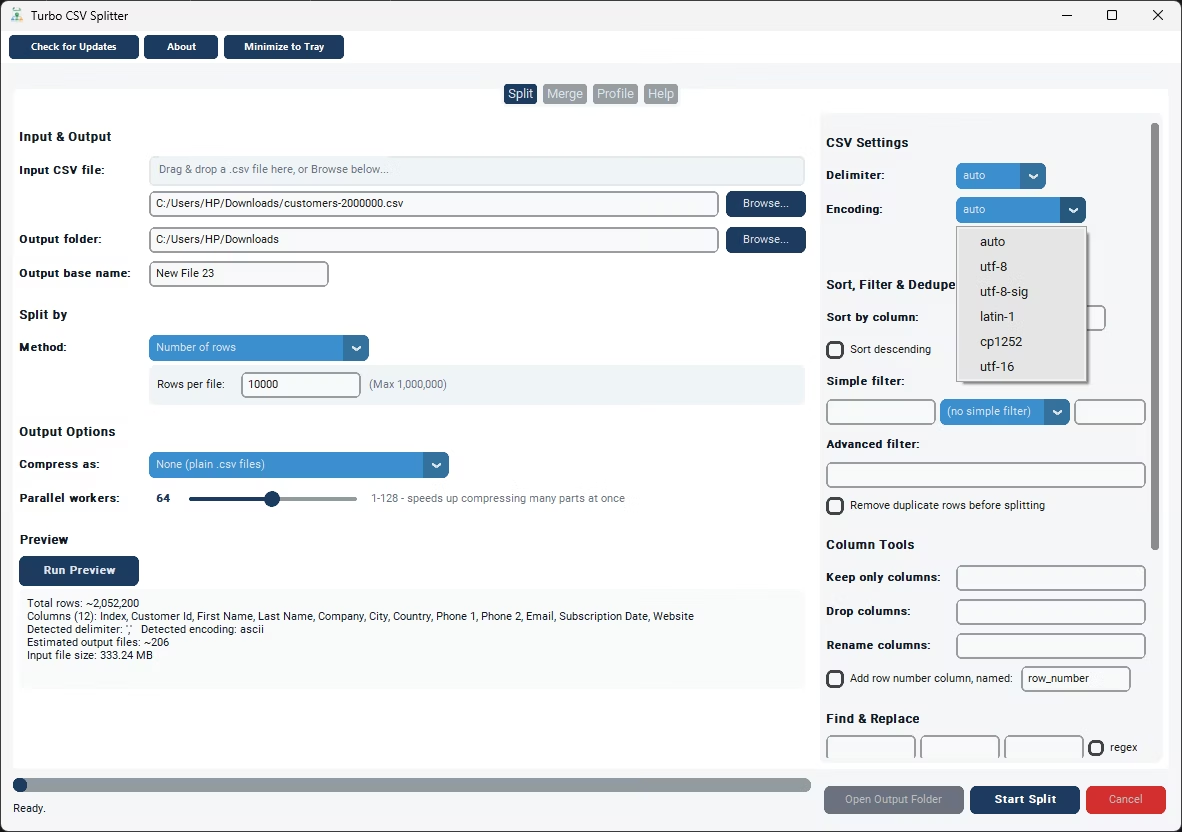
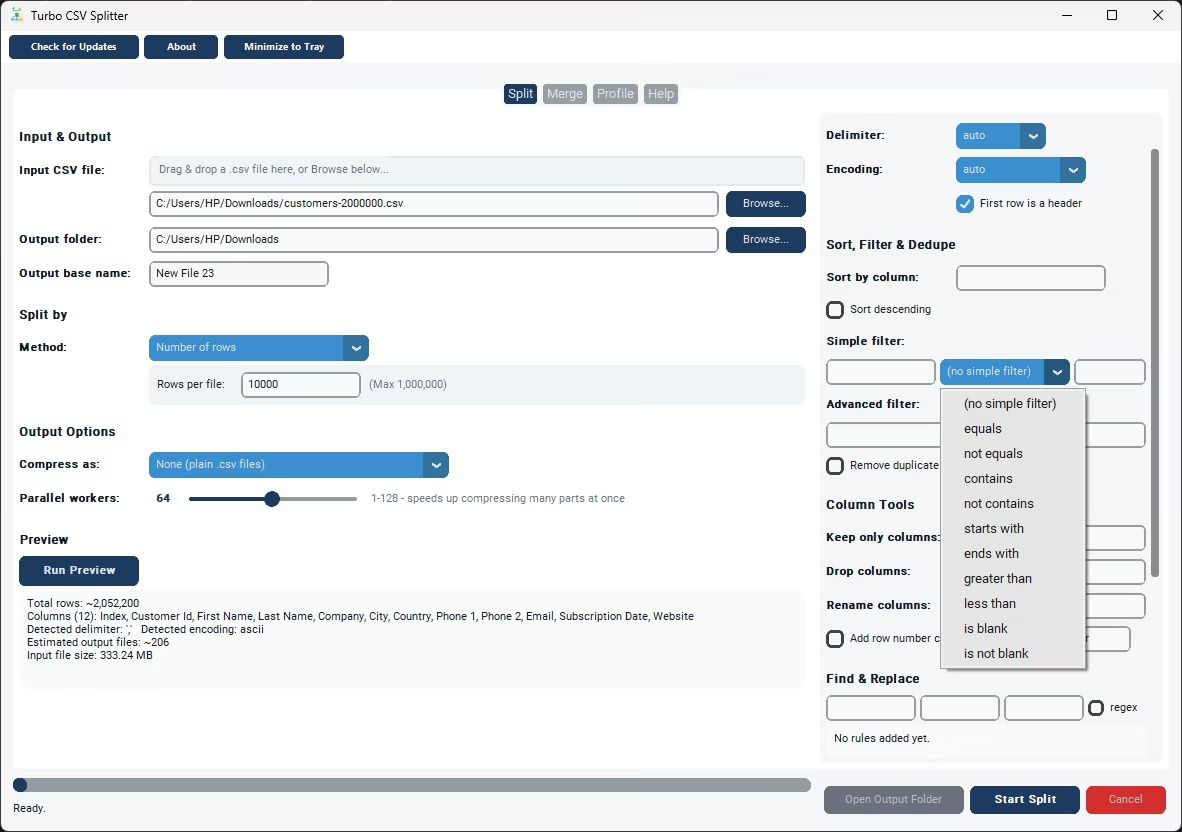
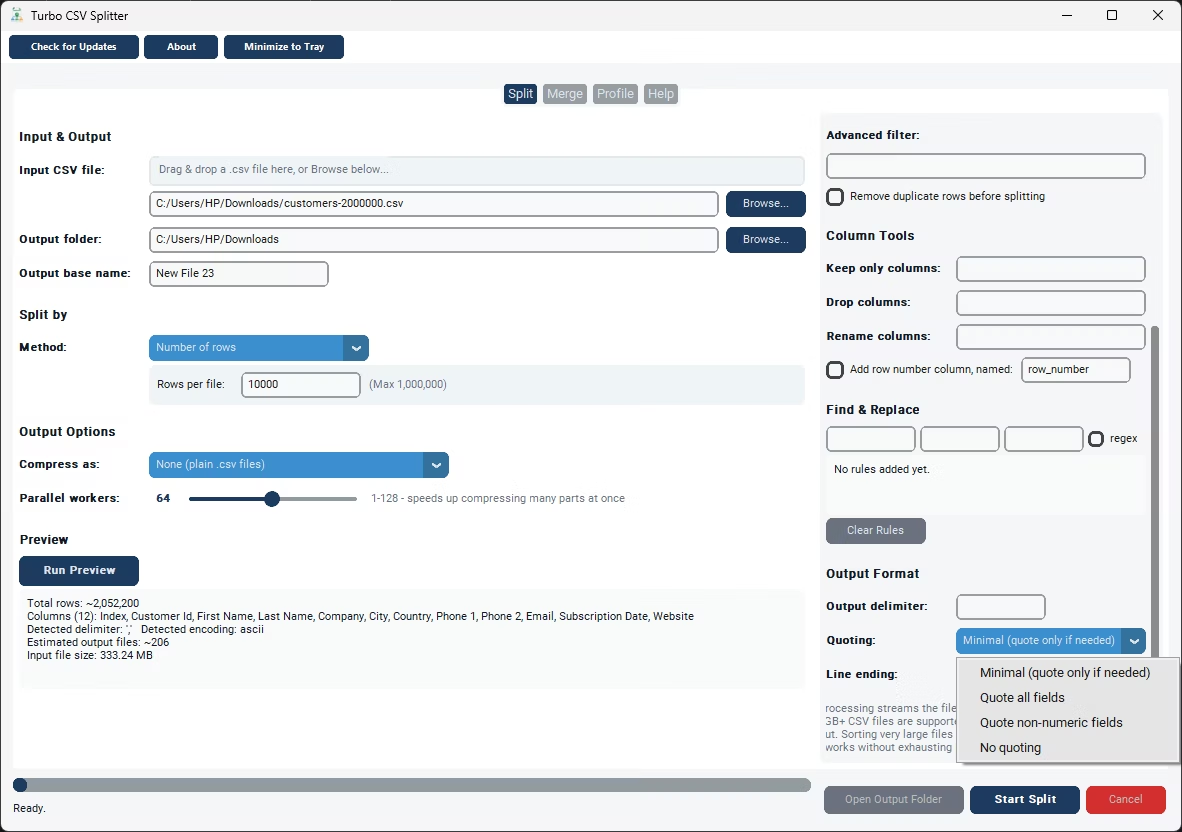
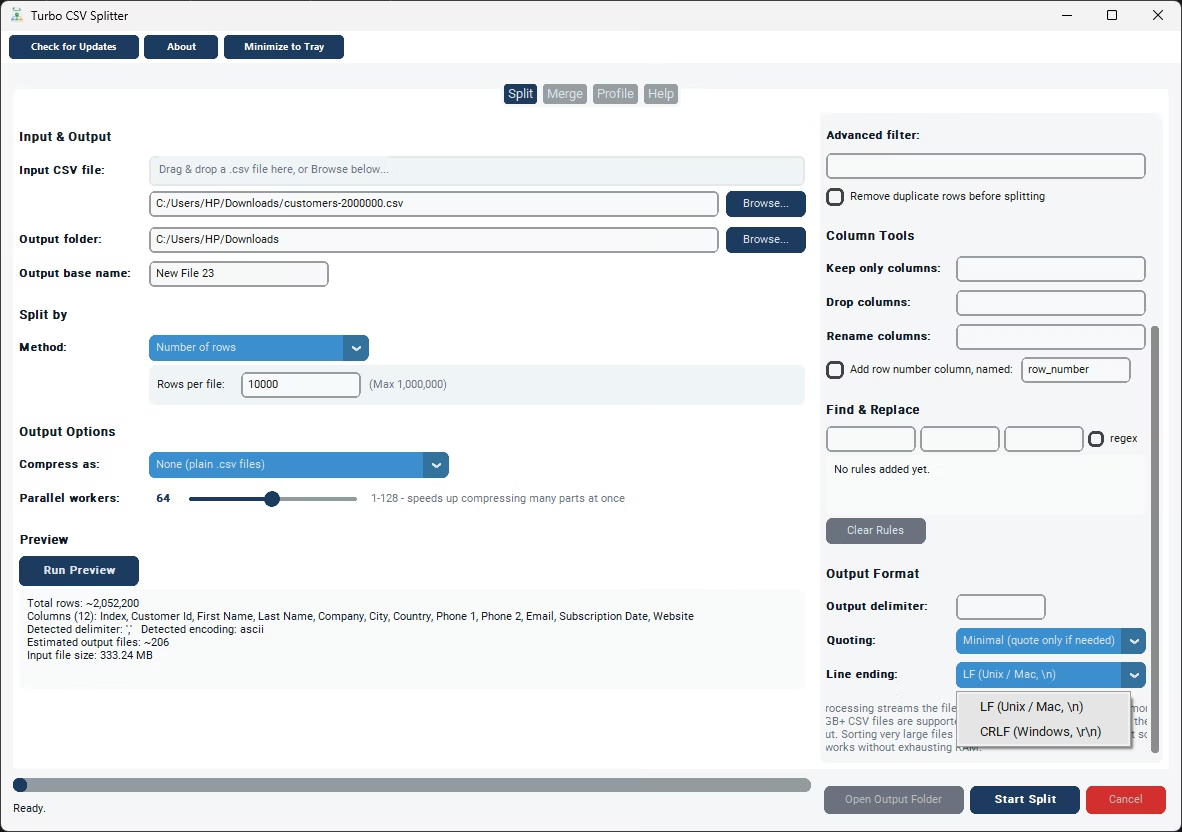
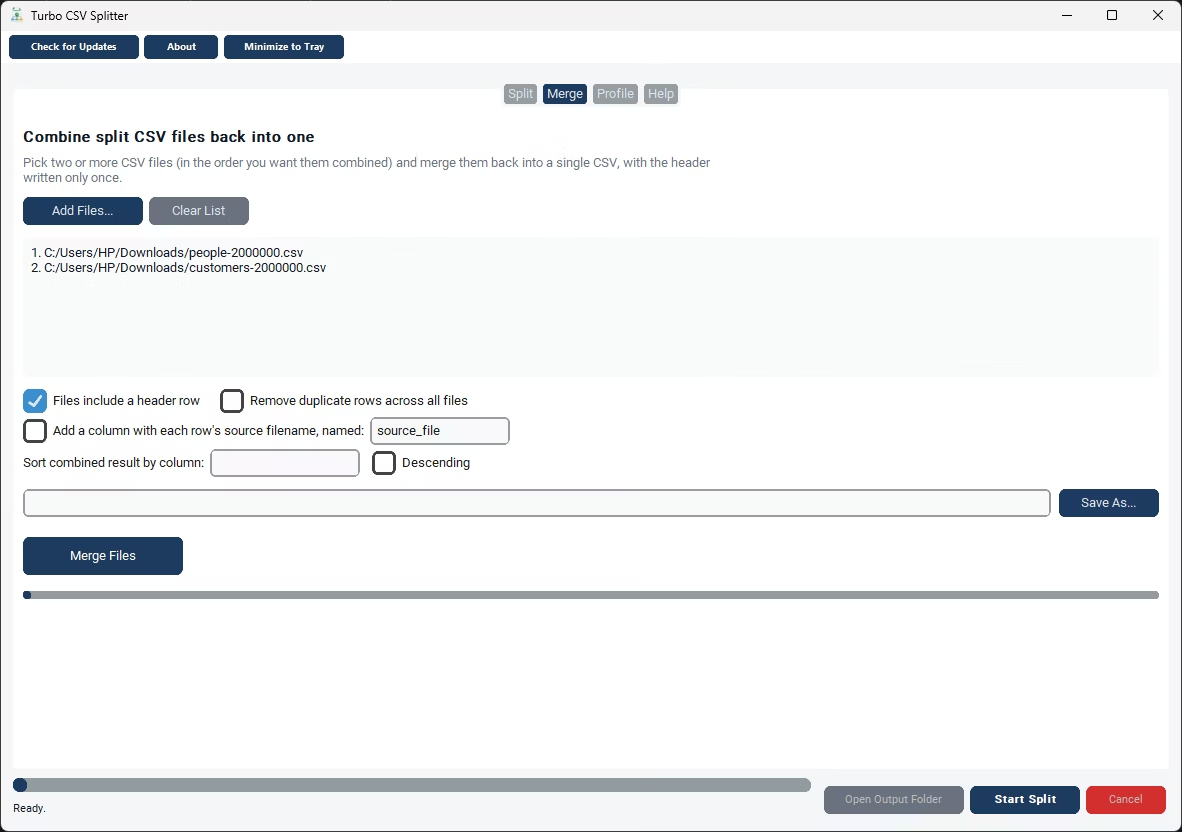
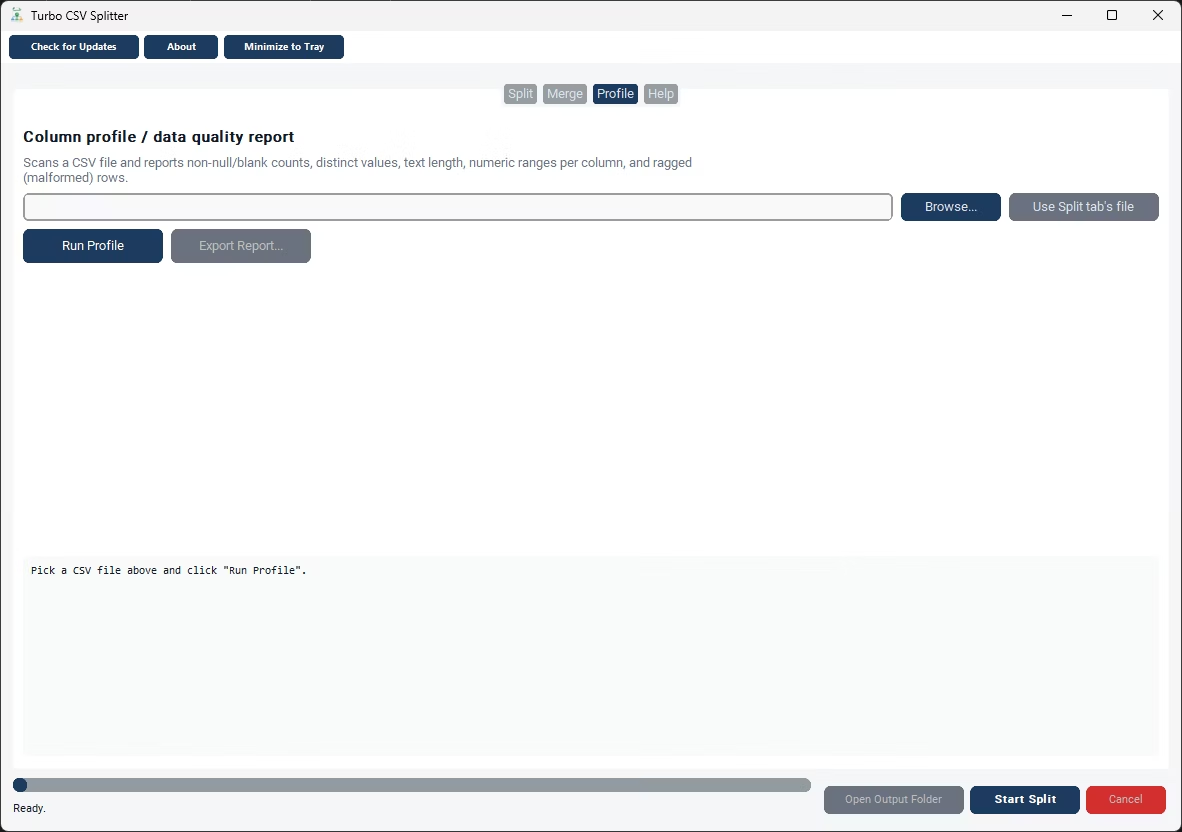
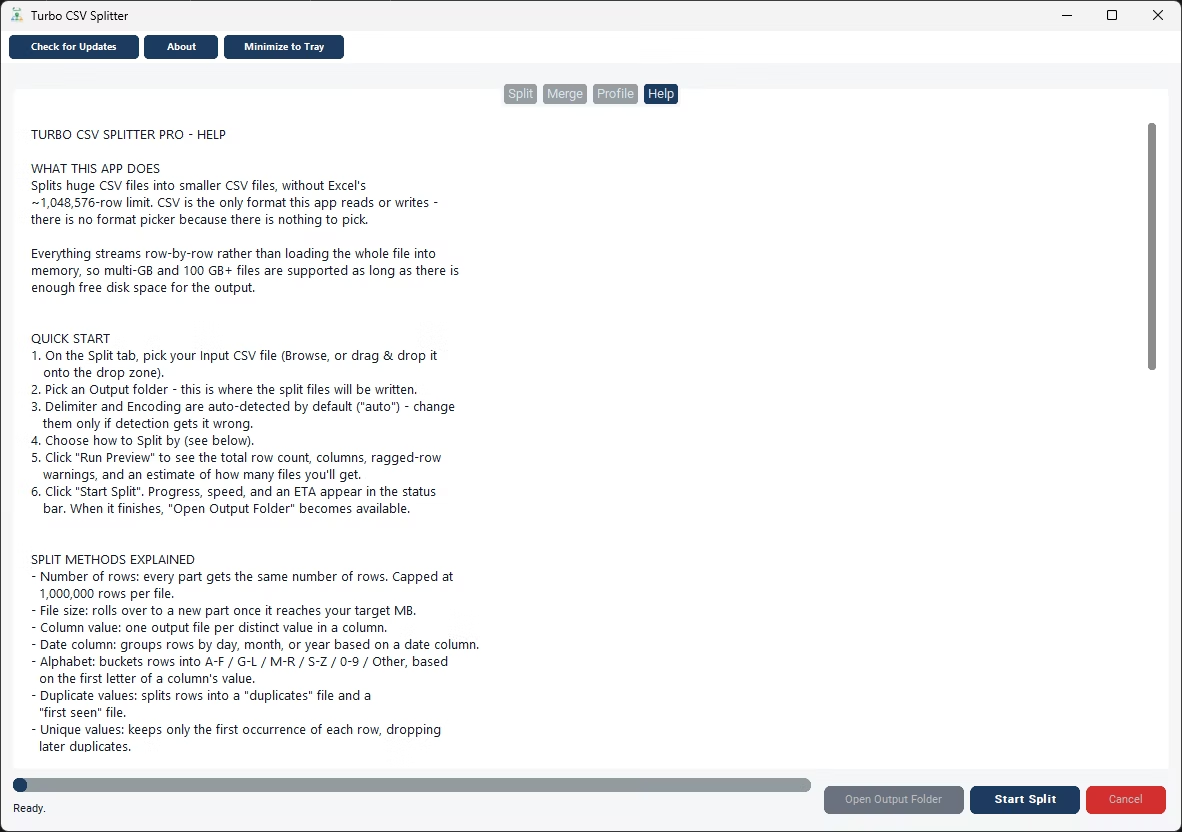
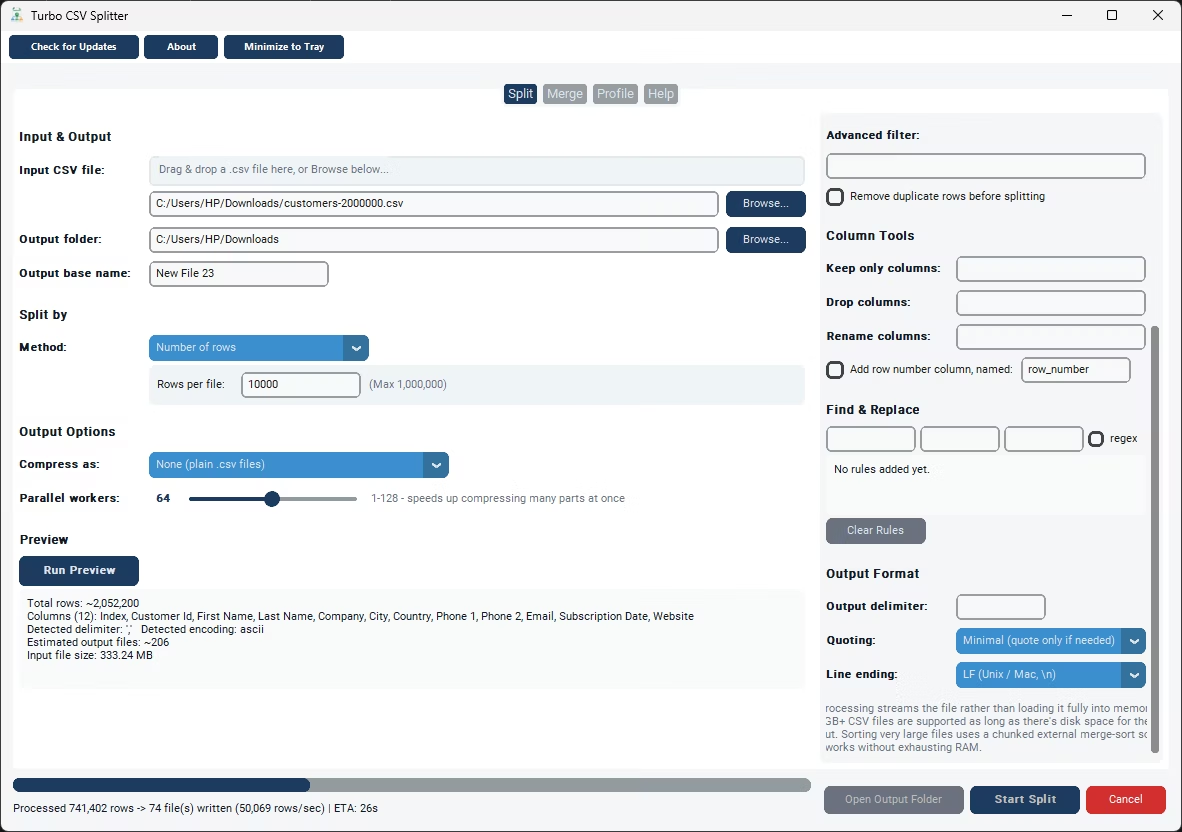
After downloading and installing Turbo CSV Splitter, the app opens directly into its main window with the Split, Merge, and Profile tabs available. There's no separate setup wizard to configure delimiters or encodings manually before you can begin - Auto detection samples the file and figures out whether it's comma, semicolon, tab, or pipe delimited, and whether it's encoded as UTF-8, UTF-8 with a byte-order mark, UTF-16, CP1252, or Latin-1. You can override any of these manually afterward if you need to, but for most files the defaults are enough to get straight to work.
The typical first job after installing is a straightforward split: browse to a CSV file, choose an output folder, pick a split method such as Number of Rows, and click Start Split. A Run Preview option is available first if you'd rather check the row count, column structure, and an estimate of how many output files you'll get before committing to the full job. Live progress, a rows-per-second speed reading, and an estimated time remaining appear in the status bar while any split, merge, or profile job runs, and a checkpoint system means a cancelled or interrupted job can be resumed later rather than restarted from scratch.
Because everything runs locally after installation, an internet connection is only needed once - to activate the license key that comes with your download - and not for any of the day-to-day splitting, merging, or profiling work afterward. That makes it a practical download for handling CSV exports that shouldn't be uploaded to a third-party website, such as customer data, financial records, or anything else covered by a company's data-handling policy.
Because the settings you choose for one job - a split method, a target row count, a chosen delimiter override - aren't locked in permanently, the same download can be reused for a completely different kind of file the next time you need it. One session might involve splitting a sales export by region, and the next might involve merging a batch of previously split files back together, or running the Profile tab against a new export to check for blank fields before it goes anywhere else. A single installation covers all of that without needing separate downloads for each task.
- Download Turbo CSV Splitter from the link on this page.
- Run the installer on your Windows PC.
- Open the app and activate your license key.
- Browse to a CSV file on the Split, Merge, or Profile tab.
- Choose your settings and click Start to run the job.
- Check the output folder for your finished files.
- Split tab with nine different splitting methods
- Merge tab to recombine files, with dedupe and sort options
- Profile tab for per-column data quality reporting
- Streaming engine for files up to 100 GB and beyond
- Auto-detected delimiter and encoding
- Runs fully offline after license activation
What operating system does Turbo CSV Splitter run on?
It's built for Windows, running on Windows 8 (64-bit) or later, with Windows 10 or later and 4+ CPU cores recommended for the best performance on large files.
Do I need to install anything else after downloading it?
No additional runtime or dependency needs to be installed separately - the download includes everything the app needs to run on a standard Windows PC.
Is an internet connection needed to use it after downloading?
Internet access is only used for license activation. Splitting, merging, and profiling CSV files all happen locally, with no file content ever sent anywhere.
How is the app licensed after download?
Turbo CSV Splitter is distributed and licensed through Gumroad. A license key activates the full version of the app after installation.
Ready to split your CSV files the easy way?