How to Keep All the Copied Items in Your Clipboard
Stop losing copied text and images the moment you copy something new
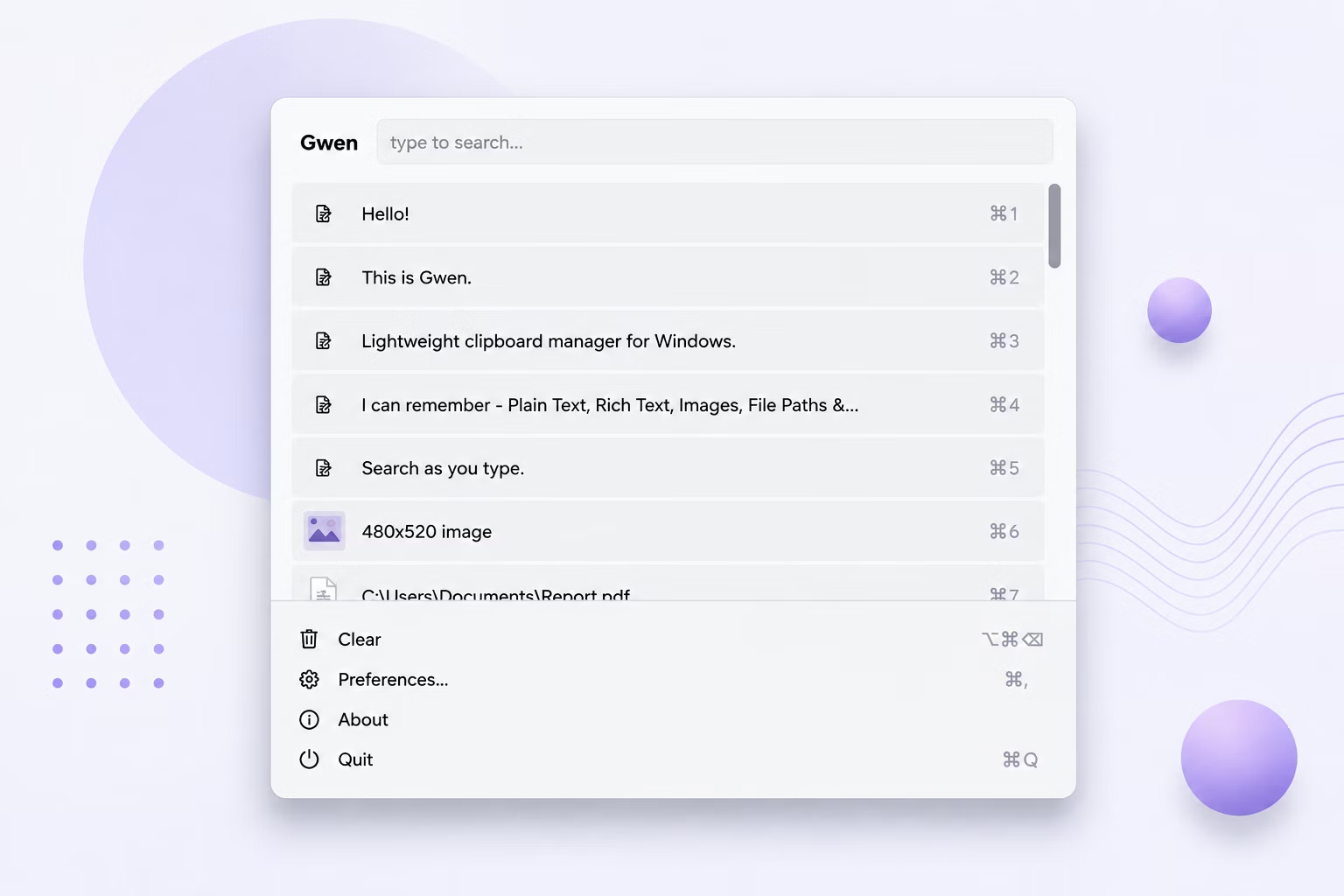
By default, Windows can only hold one clipboard item at a time — copy a second thing, and the first is overwritten instantly. This makes any workflow involving multiple copied snippets frustrating, whether you're pulling quotes from a document, gathering image assets, or collecting file paths.
Gwen changes this by capturing every single copy event and storing it in a local history list, so nothing you copy is ever silently discarded.
How to Keep All Copied Items
- Install Gwen — it starts watching the clipboard automatically once running in the tray.
- Copy items one after another as you normally would; each one is saved to history in the order you copied it.
- Open the Gwen popup with your hotkey at any point to see every item you've copied, newest first.
- Set a higher "max history size" in Preferences if you want to keep even more items before old ones are trimmed.
- Optionally leave "Clear history on restart" switched off (the default) so items persist across reboots too.
Why Gwen Keeps Everything You Copy
- Every copy event is captured and stored, not just the most recent one
- Duplicate detection avoids storing the same image or text twice from a single copy action
- Configurable maximum history size — decide exactly how much to keep
- History survives restarts by default, matching the behavior of Maccy on macOS
- Stored locally in SQLite — nothing is ever uploaded or synced externally
Frequently Asked Questions
Will Gwen keep items forever?
Items are kept until your configured max history size is reached, at which point the oldest unpinned entries are trimmed automatically along with any cached image files.
Does this slow down my PC?
No. Gwen watches a lightweight clipboard-change counter rather than constantly reading clipboard data, so keeping a full history has virtually no impact on CPU usage.
Can I keep items even after restarting my computer?
Yes, clipboard history is stored in a local database and persists across restarts by default unless you enable the optional clear-on-restart toggle.
Related guides and tools
This guide is part of TurboSoft’s clipboard management resources. Gwen Clipboard Manager handles all of these tasks offline on Windows.