How to Clear Clipboard History on Windows
Wipe your clipboard history entirely, or just remove one sensitive item
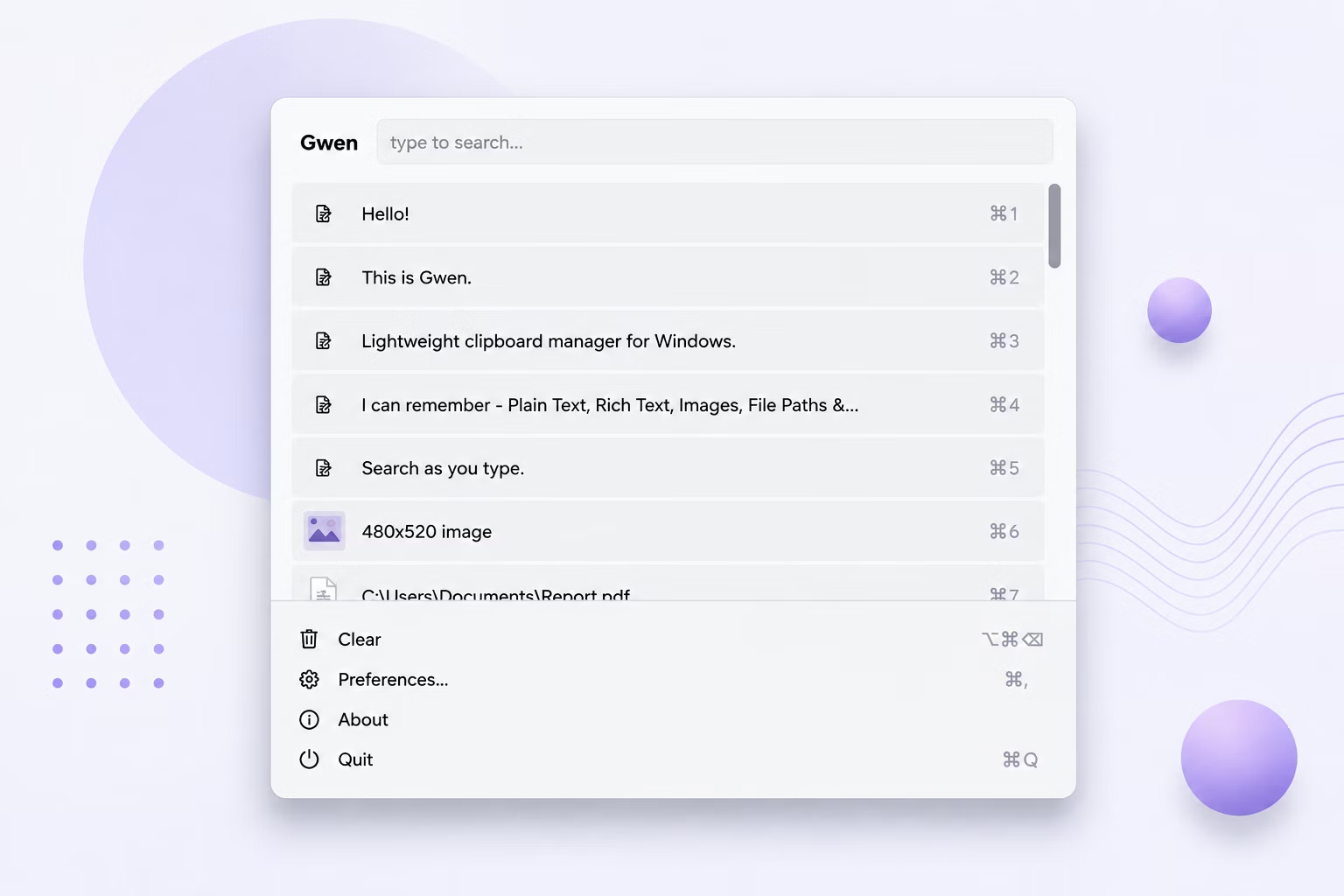
A clipboard manager that remembers everything is convenient, but sometimes you copy something you don't want sitting around indefinitely — a password, an access token, or just clutter you no longer need. Having a fast, reliable way to clear history matters as much as building one.
Gwen gives you two levels of control: clearing everything at once, or removing a single entry, plus an optional setting to wipe history automatically on every restart.
How to Clear Clipboard History
- Open the Gwen popup or right-click the tray icon.
- Choose Clear (in the popup menu) or Clear All (from the tray menu) to wipe the entire history at once.
- To remove just one item instead, select it in the popup and press the Delete key.
- Open Preferences if you want history cleared automatically going forward — enable "Clear history on restart."
- Save your Preferences changes; the setting applies immediately without needing to restart Gwen.
Clipboard-Clearing Features
- One-click Clear / Clear All from either the popup menu or the tray icon
- Per-item deletion with the Delete key, without touching the rest of your history
- Optional automatic clearing on every restart, off by default
- Clearing also removes any cached image files tied to deleted entries
- All clearing happens instantly and locally — nothing to sync or confirm remotely
Frequently Asked Questions
Does clearing history also delete cached images?
Yes, when history entries are cleared or deleted, any associated cached image files are removed as well.
Can I automatically clear history every time I restart my PC?
Yes, enable "Clear history on restart" in Preferences if you'd rather nothing persist across reboots.
Is clearing history reversible?
No, once cleared, entries cannot be recovered, so use per-item deletion if you only want to remove a specific entry.
Related guides and tools
This guide is part of TurboSoft’s clipboard management resources. Gwen Clipboard Manager handles all of these tasks offline on Windows.